
First, you will need to download an MTR program. The easiest is LnLMTR available for free on Steam. WinMTR is also available from Sourceforge here.
We will cover using LnLMTR as it’s the one available in Steam.
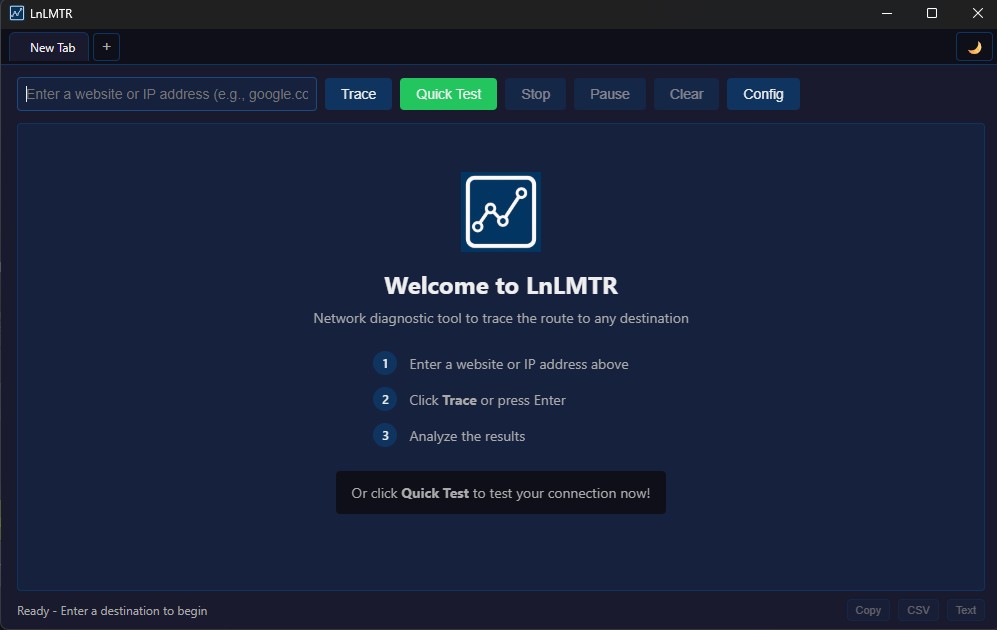
After you install and launch LnLMTR, you will see a screen like below:
In the top left box where it says “Enter a website or IP address…” Enter our server address which is server.hncrust.com then click the Trace button just to the right. This will start the trace:
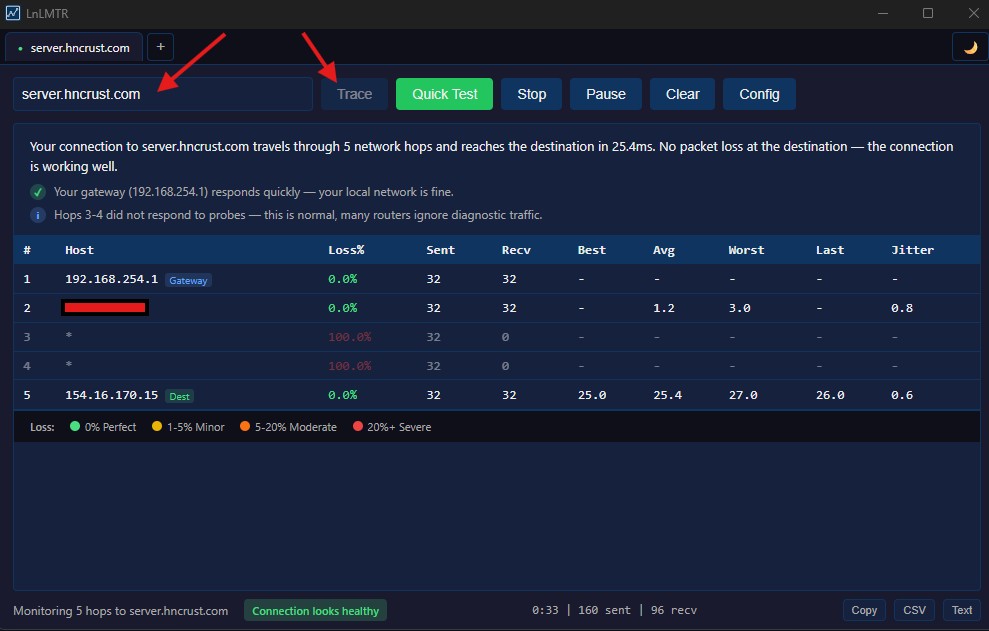
Let the test run for a few minutes then click Stop.
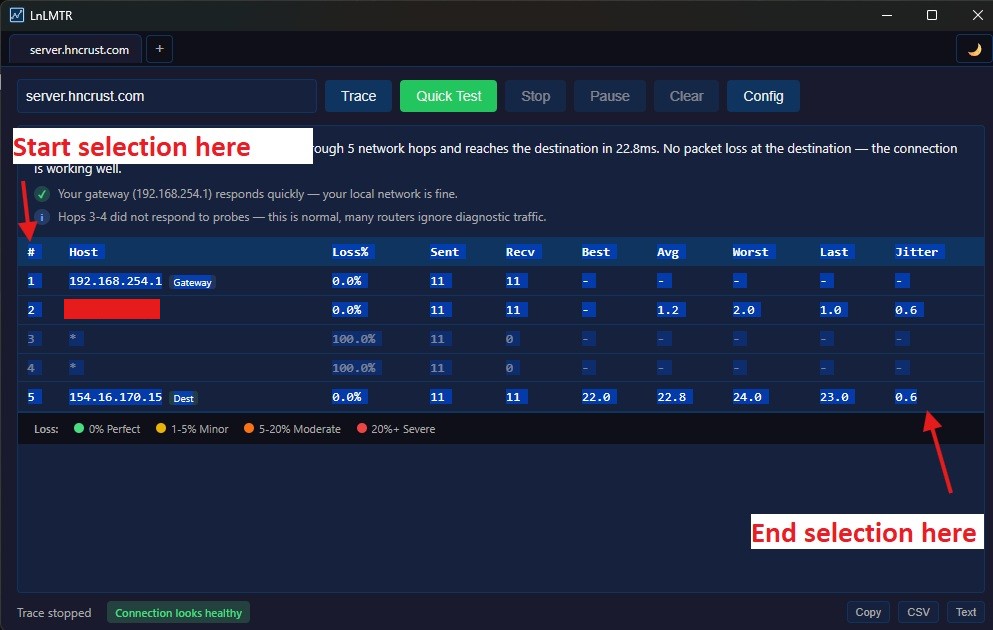
The copy button at the bottom right may not work, so just grab a screenshot (you can use Windows Snipping Tool) and attach it to a ticket in #admin-help on our Discord. DO NOT SEND IN #GENERAL!!! You can also highlight/select all the Text as shown below then Ctrl+C to copy it and Ctrl+V to paste it into a ticket.
(We will be adding a video on this soon).